Functional Requirements
As described in Context, this document specifies the functional requirements for the Sunny Calculator Add-On, a web application that enhances the capabilities of the Sunny Configurator by providing supplementary quote management functionality.
The Sunny Calculator Add-On shall provide the following core capabilities:
- Retrieval and opening of quotes from the Sunny Configurator
- Acquisition of relevant data from the configurator, ERP, and CRM systems
- Modification of product pricing parameters (unit price or contribution margin)
- Addition of supplementary services and materials with associated pricing
- Adjustment of discount structures and additional financial modifiers
- Transparent visualization of cost and profit calculations to facilitate quote optimization
- Generation of quote documentation
[FR01] Translation ready
The primary language of the application is German. Additional languages (English, French, Italian) will be supported. The design of the system should should provide an easy way for Griesser to translate the application elements into the additional languages. The system should provide a switcher to the user, so the preferred language can be selected.
[FR02] Interface to Griesser CRM
The system should access the Griesser Dynamics365 CRM to retrieve an write back information. The CRM interfaces with all other relevant systems.
The interface is defined using an OpenAPI Specification.
Authentication
Requests from the calculator backend to the CRM API will be authorized using Azure API Management. Only authenticated people are allowed to access the Calculator Backend, but there will be no role/permission checks betweend Calculator Backend/CRM API.
[FR03] Open Quote
The system should provide a way to open quotes, through a link, directly from the CRM or Sunny Configurator. The Calculator Add-On will use the information provided by the the link to show quotes details using data from the relevant APIs.
[FR04] Quote name, status ans source link
Following quote information will be shown for the quote, regardless of the current view.
- quote name
- Status of the quote (draft, active, won, closed)
- A link to the quote in the source (opens quote in CRM)

[FR05] View Quote
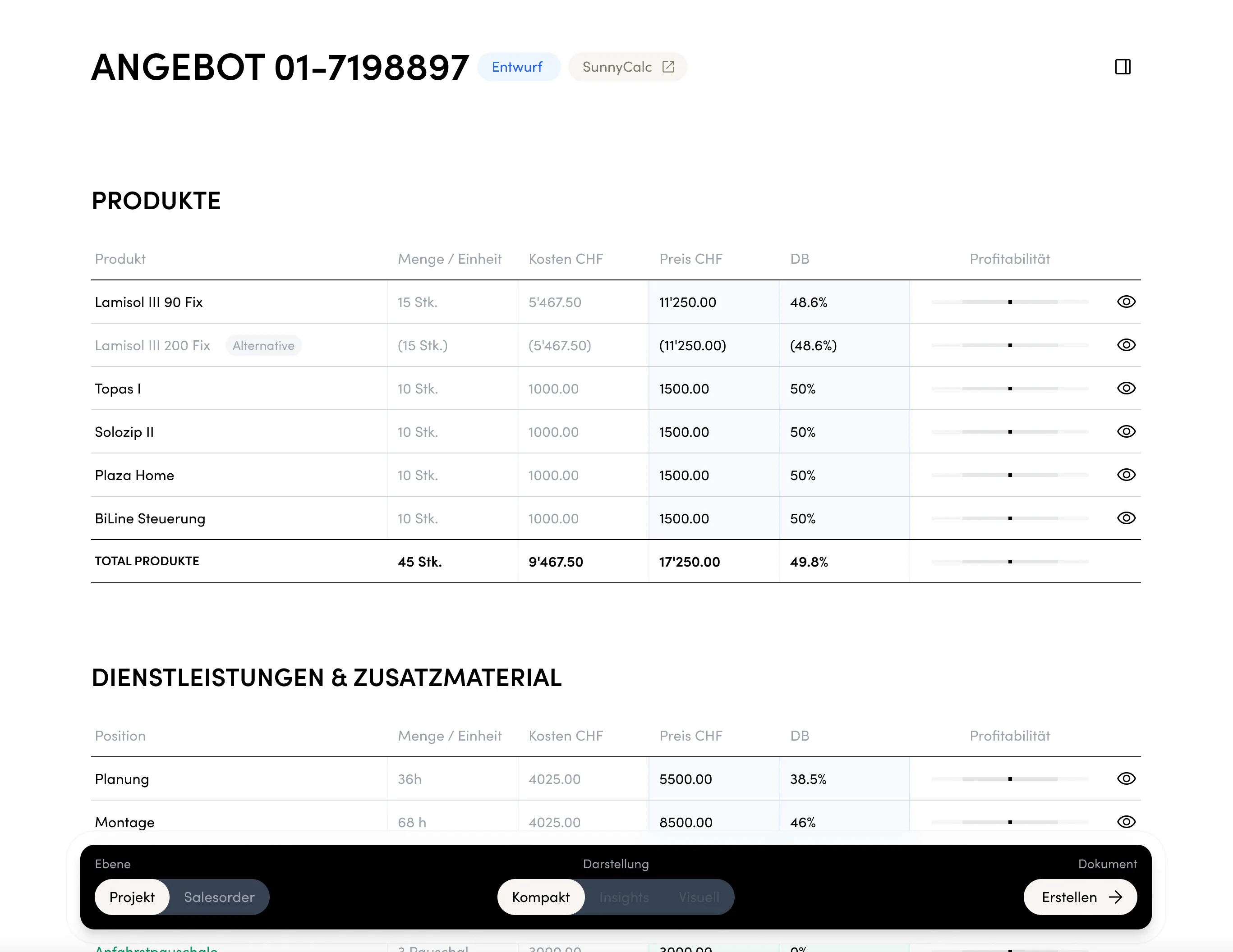
The system shall display comprehensive quote information including:
- Position details
- Product/Material specifications
- Price structures and contribution margins
- Applied discounts
- Calculated profit margins
Sequence Diagrams
[FR06] Filter by entry lot
The positions should be filterable by entry lot.
[FR07] Modify Position Prices
The system shall:
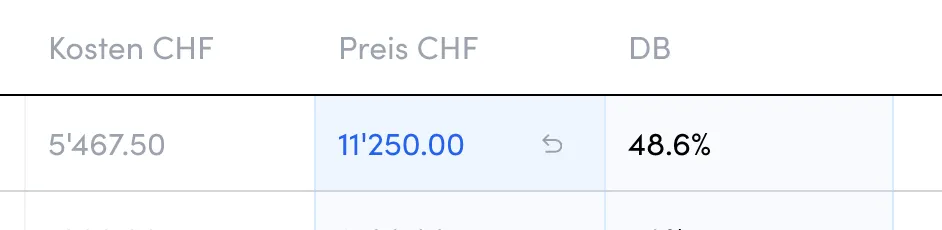
- Enable price modifications for individual positions
- Support adjustment via unit price or contribution margin parameters
- Allow price modifications, spanning all quotelines of a specific product in the Quote, the Calculator Add-On will split the prices onto the quotelines.
- The split is done by dividing up the total discount by the number of quotelines and using this as the discount of the individual quotelines.
Sequence Diagrams
Split product price updates
Multiple quotelines for the same product can exist in a single quote. The calculator addon shows a summary line for each product which can be updated.
Whenever the price is updated in this way, the difference needs to be split onto all quotelines. The difference will be split evenly among all quotelines for the same product.
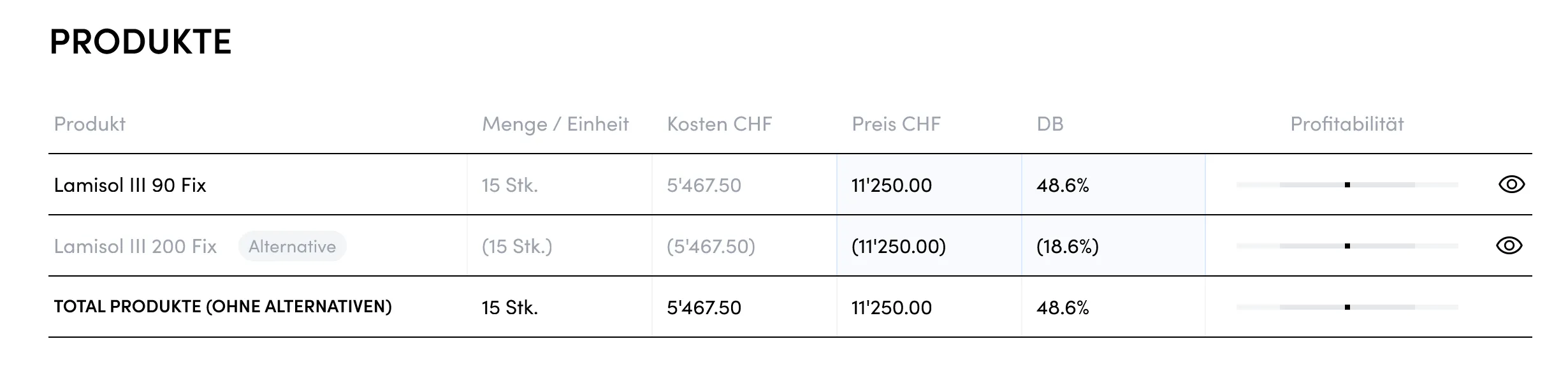
[FR08] Alternatives
[FR09] Services and Additional Materials
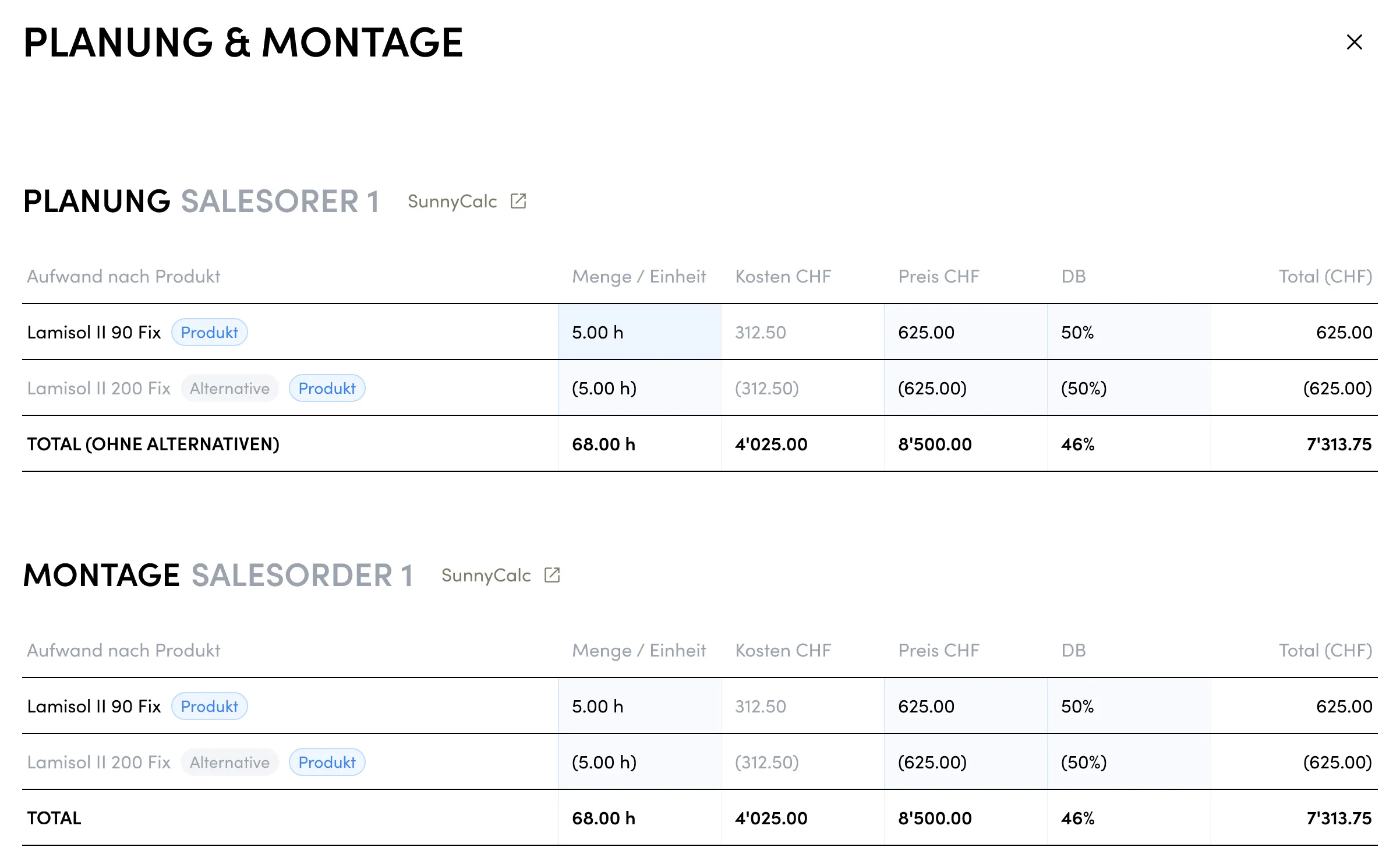
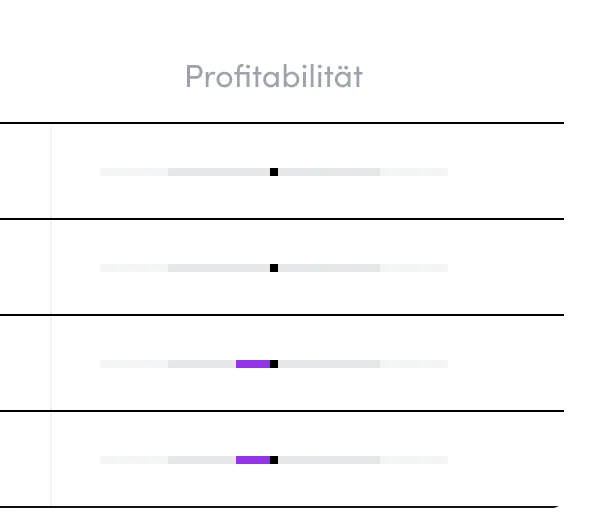
The system should show services and additional materials included in the quote. The user can view it as a summary over the whole quote or check independent saleorders and lots.
[FR12] Product details
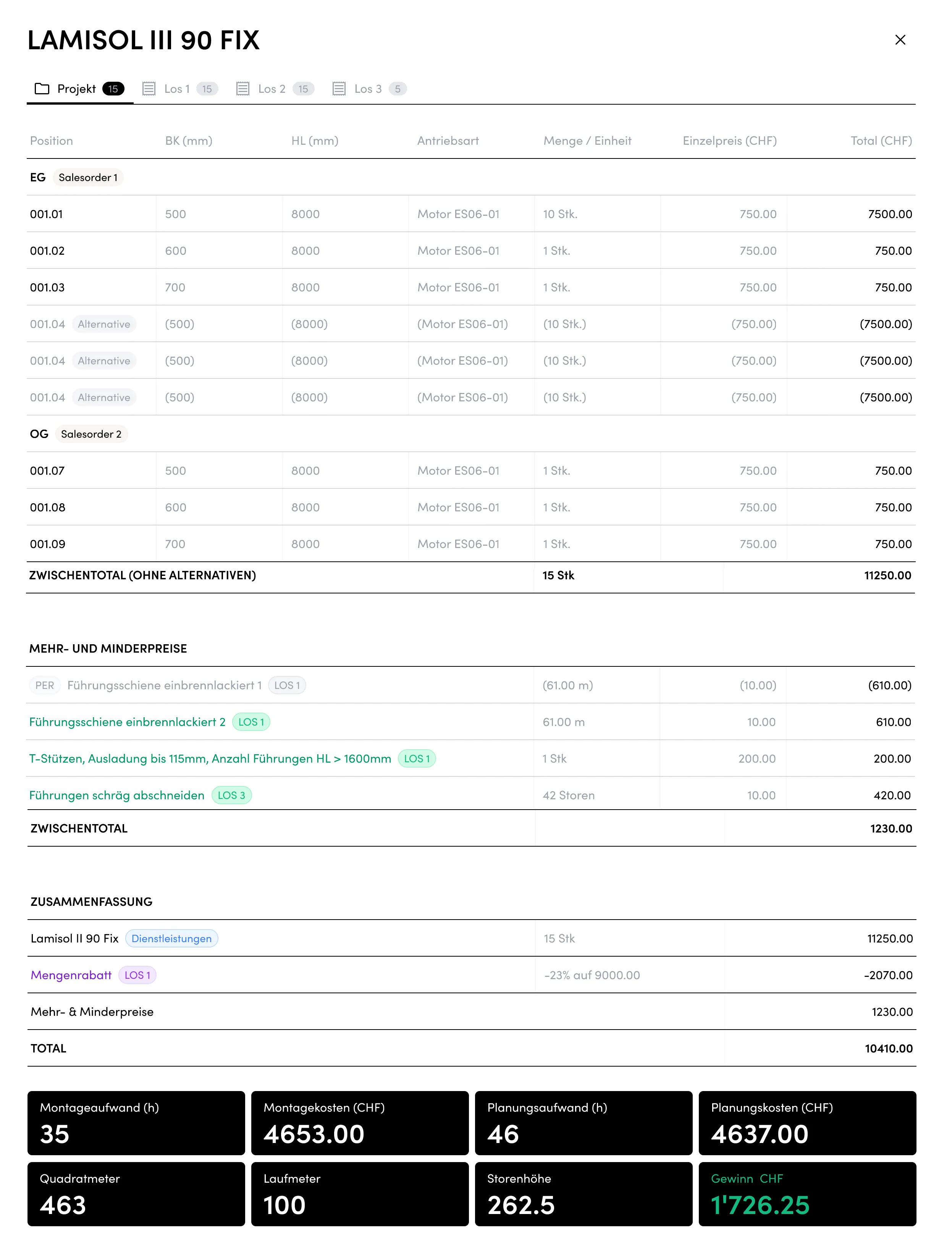
The system provides a button for each product line, that opens a an overview of the product. This overview lists all positions for this product over the whole project, grouped by salesorder. The positions can be filtered by entry lots. It also shows a section surcharges and discounts applicable to entry lots.
Similar to the project overview there’s a summary at the end including applicable discounts and surcharges as well as the total.
A list of insights is shown, summarizing the most important information about the positions.
[FR13] Discounts
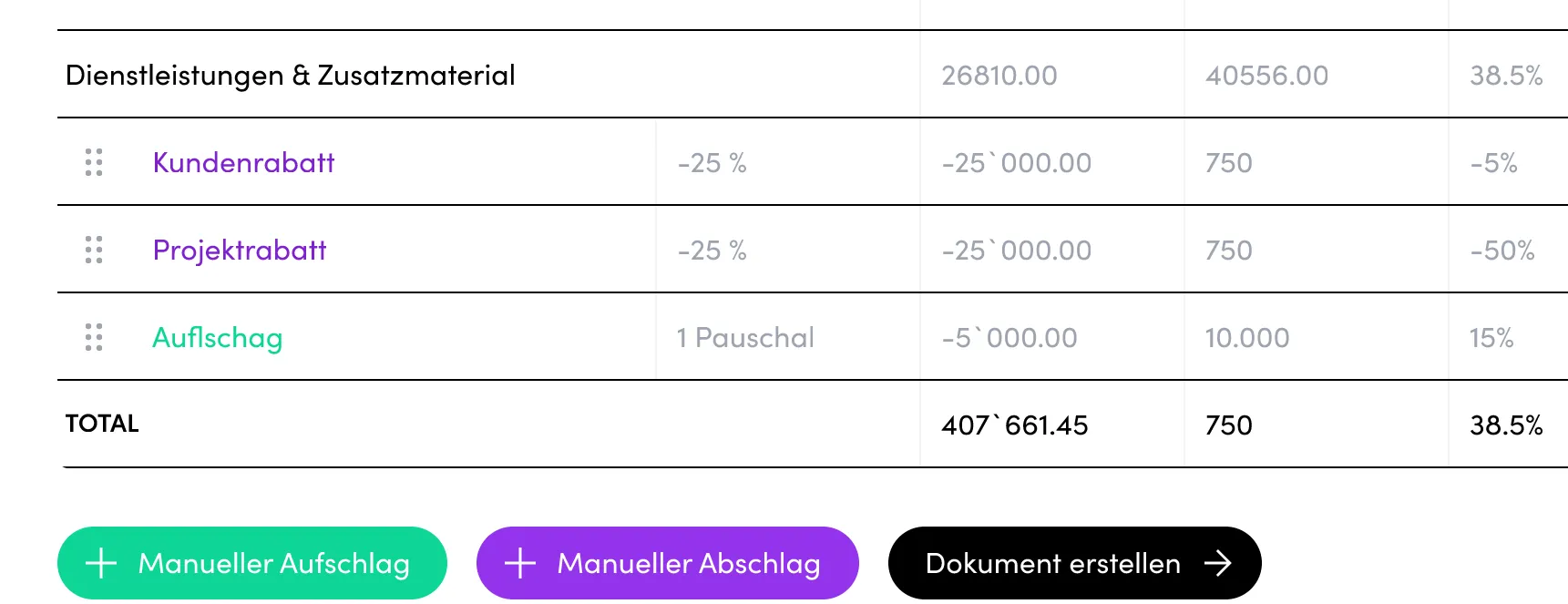
Display the following discounts:
- Customer-specific discounts (provided by CRM)
- Project discounts (Added manually, see here)
- Volume-based (quantity) discounts (provided by CRM already included in position prices)
[FR14] Manual Surcharge / Discount
The system should provide a way to modify surcharges or undercharges for the quote. The difference should be shown as an additional position and be considered in the calculation.
These manual charges can be renamed according to the user’s needs.
Sequence Diagrams
[FR15] Show quote Document
The system should provide a button to show the quote document. The created document is then presented to the user for further inspection. Document creation is handled by the CRM.

Sequence Diagrams
[FR16] Disable editing of locked quotes
Quotes that don’t have the status draft cannot be further edited and thus count as locked.
No modifications are allowed to locked quotes.
The Calculator Add-On must prevent any modifications to quotes not in the draft state as this is not implemented in the CRM API.
[FR17] Calculation Checklist
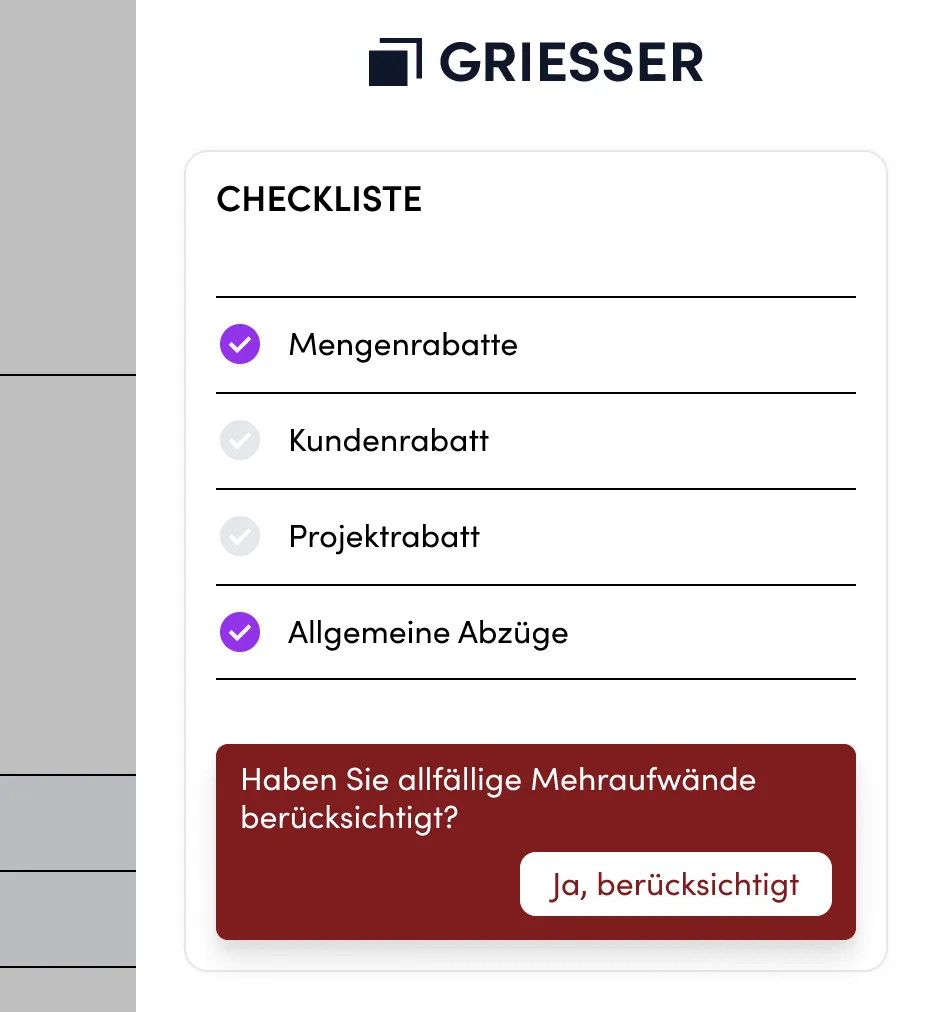
The Sunny Calculator Add-On should provide a checklist per order, tracking important things to consider before completing the quote.
The checklist also shows a button to confirm that surcharges have been considered.
The confirmation is stored in the CRM, so that other users can also see it as confirmed and so that the confirmation can also be displayed in the CRM if needed
[FR18] Project metadata
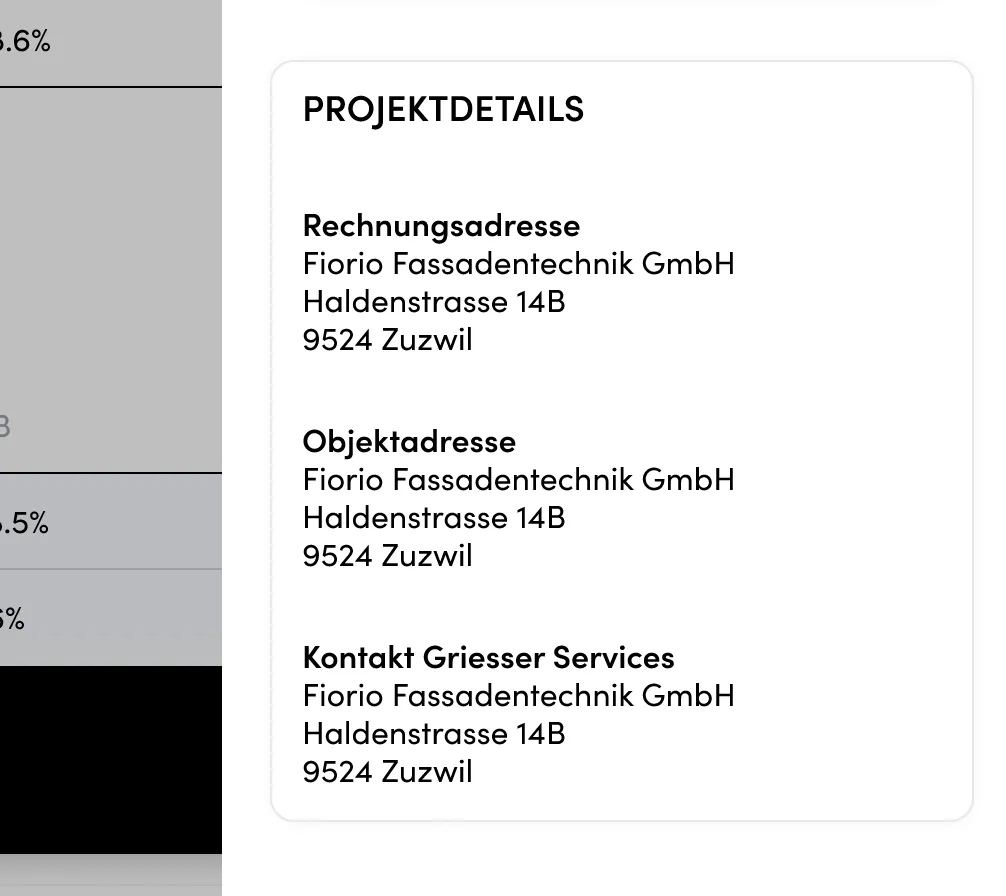
The system should show project details included in the quote.
[FR19] UI/UX Design
The design for Sunny Calculator Add-On is developed separately from the technical implementation. The system’s User Interface should accurately reflect the design specification.